the shopify technical seo audit checklist for 2026
is your shopify store ready for ai-driven search? our technical seo audit checklist covers core web vitals, schema for rich results, and shopify-specific fixes.
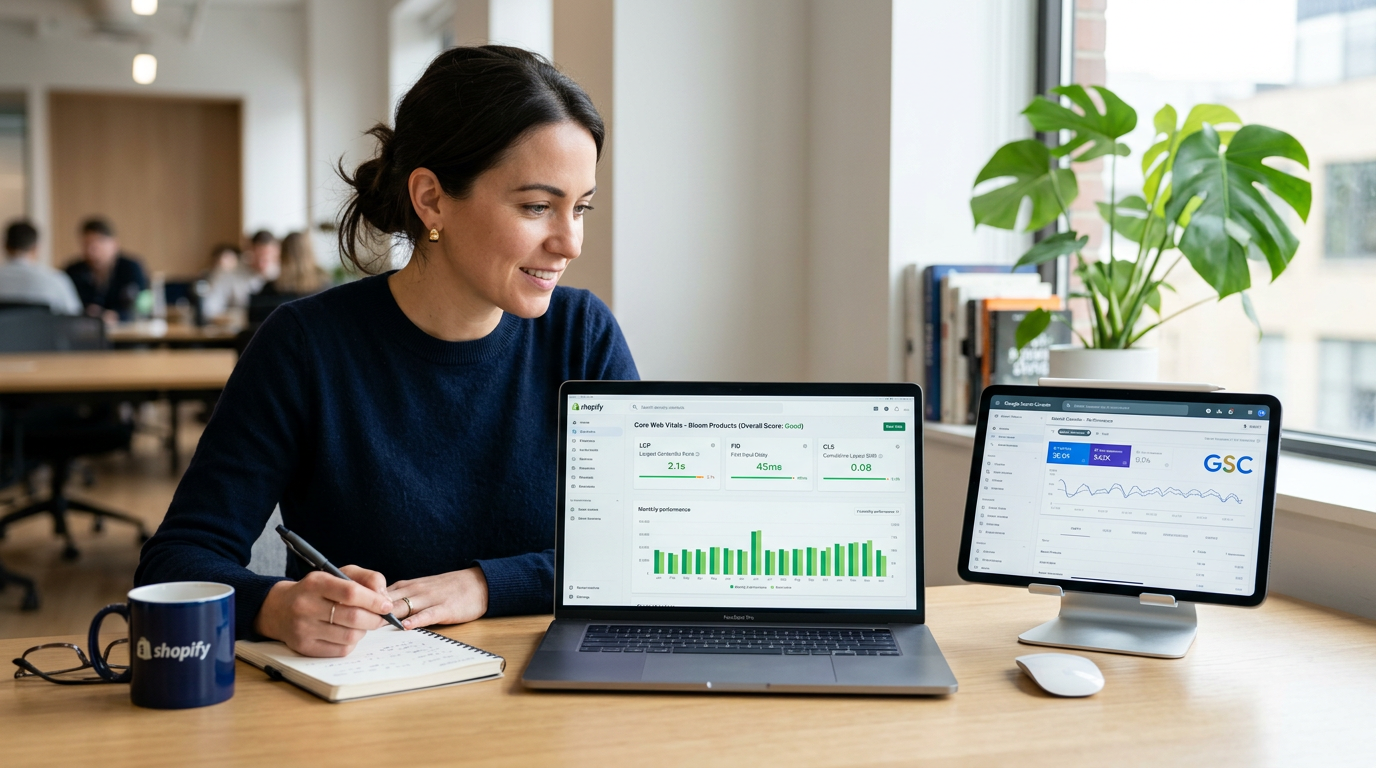
Roughly 16% of all Google queries now trigger an AI Overview. That single statistic from Semrush changes everything for Shopify store owners. Yesterday's SEO checklist, focused on keywords and backlinks, is already obsolete. Winning in this new era requires a different approach.
Technical SEO is no longer just about helping Google find your pages. It’s about structuring your site so AI can understand, trust, and cite your products as the best answer. This audit checklist is designed for that future. It moves beyond the basics to get your store technically sound and AI-ready.
The Foundation: Indexing and Crawlability
Before you can rank, search engines need to efficiently crawl and index your site. This is step zero. Without a clean pathway for Googlebot, any other optimization effort is wasted. Your goal is to give search engines a clear map and no dead ends.
Controlling the Crawl with Robots.txt
Your robots.txt file is the first stop for search engine crawlers. For a Shopify store, it’s crucial to ensure you aren't accidentally blocking important resources like CSS or JavaScript files. However, you do want to block URLs that provide no value, like internal search results, cart pages, and admin areas.
A quick check of your yourstore.com/robots.txt file can reveal any misconfigurations. Shopify sets up a decent default, but apps can sometimes add problematic rules. Verify that product and collection pages are not disallowed.
Submitting Your Sitemap to Google
Shopify automatically generates an XML sitemap for you at yourstore.com/sitemap.xml. This file lists all the important pages on your store. Your job is to make sure Google knows it exists. Go to Google Search Console, verify your domain, navigate to the 'Sitemaps' section, and submit that URL.
This simple act tells Google exactly what you want indexed, speeding up the discovery of new products and content. It’s a direct line of communication to the search engine, and it’s essential for monitoring indexation status over time.
Monitoring Indexing Errors
Google Search Console is your command center for technical health. The 'Pages' report (formerly 'Coverage') is where you’ll find gold. It shows you which pages are indexed and, more importantly, which aren't and why. Look for spikes in 404 errors (broken links), redirects, or pages excluded with a 'noindex' tag.
Fixing these issues is non-negotiable. A high number of 404s signals a poorly maintained site, hurting both user experience and your SEO performance. Regularly crawling your own site with a tool like Screaming Frog can help you find and fix broken links before Google even flags them.

Mastering Site Speed and Core Web Vitals
Speed is no longer just a recommendation; it's a core ranking factor. Google's Core Web Vitals (CWV) are specific, user-centric metrics that measure the real-world experience of your visitors. For Shopify stores, which often rely on heavy images and third-party apps, passing CWV is a major challenge and a huge competitive advantage.
The Three Metrics That Matter
Your entire speed optimization effort should focus on three key numbers. You need to hit these targets to be considered 'good' in Google's eyes.
- Largest Contentful Paint (LCP): Measures loading performance. Aim for under 2.5 seconds. This is often your main hero banner or product image.
- Interaction to Next Paint (INP): Measures interactivity. Aim for under 200 milliseconds. This tracks how quickly your site responds when someone clicks a button or interacts with a filter.
- Cumulative Layout Shift (CLS): Measures visual stability. Aim for under 0.1. This prevents those annoying moments when content jumps around as the page loads.
Use Google PageSpeed Insights to test your most important templates: the homepage, a key product detail page (PDP), and a major collection page. Don't just test the homepage. Your customers spend most of their time on product pages, so their performance is critical. Aim for a mobile score above 70, but prioritize passing the individual CWV thresholds.
Common Shopify Speed Killers
If your scores are low, the culprits are usually predictable. Large, uncompressed images are the number one offender. Use modern formats like WebP and ensure images are sized correctly for their container. Don't upload a 4000px image for a 500px thumbnail spot.
After images, the next place to look is your app list. Every app you install can add JavaScript and CSS that slows down your site. Conduct an app audit. If you aren’t using an app, or its value is minimal, uninstall it. For the remaining apps, investigate if they offer performance-friendly loading options. Some apps can be deferred so they don't block the initial page render.
The AI-Ready Audit: Structured Data and Entities
This is where modern SEO strategy separates the winners from the losers. Getting ready for AI search engines means structuring your data so they can easily understand it. When an AI model can parse your product information, pricing, and availability programmatically, it's more likely to feature you in its answer. This is the new frontier of ai search optimization.
Unlocking Rich Results with Schema Markup
Structured data, often implemented using a vocabulary called Schema.org, is code you add to your site to explicitly tell search engines what your content is about. The payoff is huge. Pages using it can earn rich results, like star ratings and pricing in the search listings, which achieve 20-40% higher click-through rates.
For a Shopify store, three schema types are absolutely essential:
- Product Schema: Describes your product, including name, image, description, brand, SKU, price, and availability. This is the most important one for ecommerce.
- Organization Schema: Describes your business, including your official name, logo, address, and social media profiles. It helps Google establish your brand as a legitimate entity.
- Breadcrumb Schema: Outlines the page's position in the site hierarchy (e.g., Home > Collections > T-Shirts). It helps both users and search engines navigate your site.
Most modern Shopify themes handle some of this automatically, but you must verify it's correct using Google's Rich Results Test. Gaps or errors in your product schema can make you ineligible for those enhanced listings that drive qualified traffic.
Building Authority with Entity-Based SEO
Going a step further, think about your store, brands, and categories as entities. AI models build knowledge graphs around these entities. You can strengthen your store's authority by linking your content and data together logically. For example, a blog post about 'winter hiking gear' should link directly to your 'Winter Jackets' and 'Hiking Boots' collection pages.
This reinforces the topical relationship between your content and your commercial pages, positioning your entire domain as an authoritative source on the subject. It’s a signal that tells AI, “This site is an expert on this topic,” making your content more citable in AI Overviews and other generative experiences.
Shopify-Specific Quirks: Duplicate Content and Thin Pages
Shopify is a fantastic platform, but its architecture creates a few specific technical SEO challenges. The most common issues are duplicate content and thin pages generated by the platform's URL structure. An effective audit must address these head-on.
Taming Duplicate Content with Canonical Tags
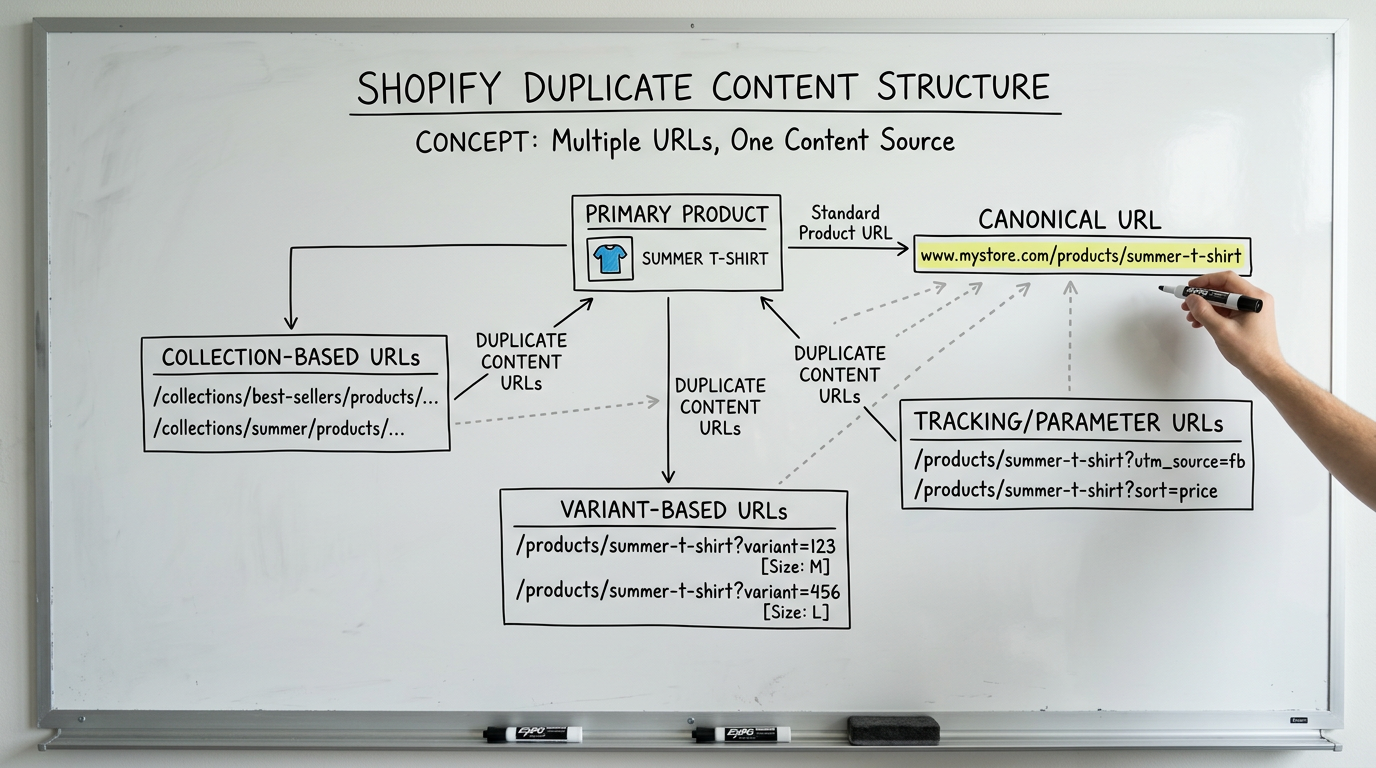
Duplicate content happens when the same or similar content is accessible at multiple URLs. On Shopify, this occurs frequently. A single product might be accessible via its direct URL, a collection URL, and with variant parameters. For example:
/products/my-cool-shirt/collections/summer-shirts/products/my-cool-shirt/products/my-cool-shirt?variant=12345
Without guidance, Google sees these as three separate pages with identical content, which dilutes your ranking signals. The solution is the canonical tag. This is a snippet of HTML that tells Google which version is the 'master' copy. Shopify does a good job of adding self-referencing canonicals, but you must check them. Use a tool like Screaming Frog to crawl your site and inspect the canonical tags. They should always point to the clean, primary URL (the first one in the list above).
Fleshing Out Thin Collection Pages
Another common issue is 'thin content' on collection pages. A default Shopify collection page is often just a grid of products with minimal or no unique text. From Google’s perspective, these pages offer little value beyond what’s already on the individual product pages.
To fix this, add unique and helpful content to your most important collection pages. Write 2-3 paragraphs of descriptive text for the top of the page. Explain what makes this collection special, who it's for, and how to choose the right product. This not only helps SEO but also improves the user experience for shoppers landing directly on the page.
Putting It All Together: Your Quarterly Audit Process
A technical SEO audit isn't a one-time project. It's a quarterly process of maintenance and improvement. Your site is dynamic: you add products, Shopify updates its platform, and third-party apps change. Quarterly audits are how you prevent content decay and stay ahead of technical issues.
Your process should follow a simple loop: crawl, analyze, fix, and monitor. Start by running a full crawl with Screaming Frog to get a baseline. Analyze the data for the key issues we've discussed: 404s, redirect chains, missing canonicals, and thin pages. Prioritize fixes based on impact; focus on major collection and product pages first.
The complexity of a full audit, which can easily involve over 73 actionable steps and checks, can be significant. Many businesses choose to work with a professional seo company to ensure nothing is missed. This frees up your team to focus on marketing and operations while experts handle the technical side. To see the full scope of what's possible, you can review our comprehensive marketing services.
Ultimately, regular technical audits are about risk management and opportunity spotting. By consistently cleaning up your site's foundation, you protect your existing rankings from algorithm updates and position your store to capture the massive opportunity presented by AI-driven search.
Ready to see where your store stands? The first step is often the easiest. Take your most important product page URL and run it through Google's PageSpeed Insights. The results will give you a clear, data-driven starting point. If you prefer an expert eye on your audit, you can always get a free consultation with our team.